> For the complete documentation index, see [llms.txt](https://zkml.gitbook.io/zkml/llms.txt). Markdown versions of documentation pages are available by appending `.md` to page URLs; this page is available as [Markdown](https://zkml.gitbook.io/zkml/products/anyone-tracker.md).
# Anyone Tracker
Manage relays, get relay map, status, bandwidth, wallet rewards and more
As you guys know, at $ZKML : we are building tools/products privacy-first based and we are also building products under the Anyone Network ( biggest decentralized onion network in the world )\
\
As a relay operator ourself, $ZKML thought it was a good idea to add a tracking bot which will allow all users to have a sort of dashboard where they can check all the desired data at once without switching from one page to another or connecting their wallet, signing-in to their VPS etc.\
$Anyone community is principally concentrated in Telegram as well as $ZKML community so we have decided to make this bot on Telegram !\
\
You can try it now from here: [Anyone Tracker Bot ](https://t.me/anontrackerbyzkmlbot)!\
\
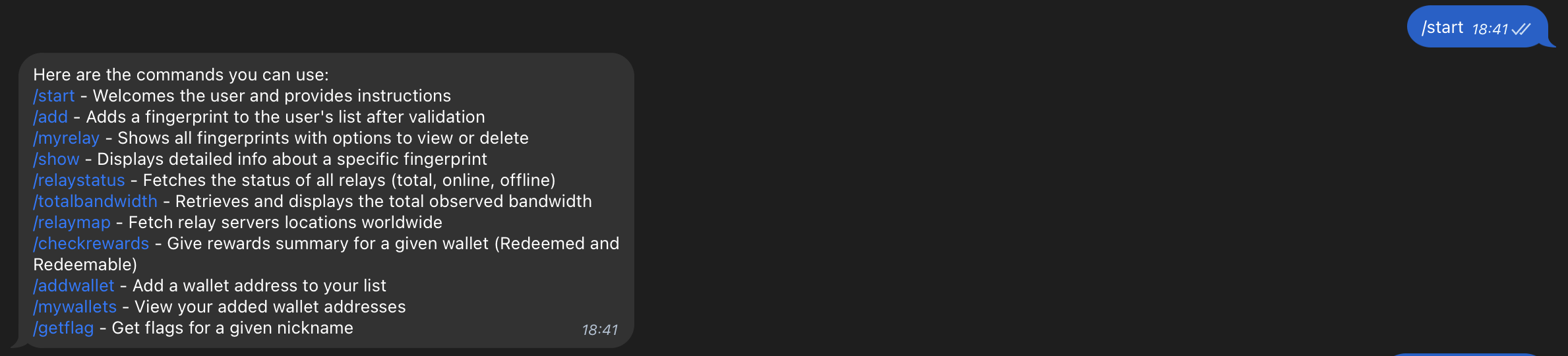
The following is a list of available commands. We continually add commands and welcome feedback from both the ZKML and Anyone communities. We are working closely in collaboration with our partner at Anyone.
Example : \
\
Instead of logging-in to the official $Anyone dashboard and connecting your wallet, you can easily check how much rewards you have redeemed, how much you are supposed to receive in the upcoming $Anyone weekly distribution and how much are redeemable
{% hint style="info" %}
We don't share any wallet/relay details to any entity, its strictly confidential and your privacy is our #1 goal. Your data is and will stay ONLY between us and our developer
{% endhint %}